Findings, not grades
Ranked, with the reason
The HTTP and mail checks list what they found in order of weight and say why each matters. No letter grade stands in for reading the list.
Android 10+ · Free · No ads
Ping, trace and resolve. Inspect a certificate, grade a web server's headers, read a mail domain's SPF and DMARC, walk a switch over SNMP, and listen to the WiFi, cellular and Bluetooth radios around you. No ads, no tracking, no account.

The tools
Something out on the internet, something on this network, the radios in this phone, or a calculation that needs no network at all. The home screen is grouped the same way.
Live round-trip times, loss and a bar per reply, over IPv4 or IPv6.
Hop by hop, round after round: loss and latency per hop, with reverse DNS and the network behind each address.
A to CAA against any resolver, including DNS over HTTPS, with helpers for SPF, DMARC and DKIM records.
Structured RDAP with classic whois as the fallback. For an IP, the registry's abuse contact.
Who announces a prefix and from where, with the AS's neighbours and the rest of what it announces.
TCP connects with presets or ranges. UDP probes ask each service its own question and never call silence "open".
The handshake only: chain, expiry, protocol versions, cipher, forward secrecy and hostname match.
One browser-like GET: every redirect hop, where the time went, and the security headers ranked as findings, never a grade.
MX, SMTP on 25, 587 and 465 with STARTTLS, SPF evaluated, DMARC, DKIM, MTA-STS, TLS-RPT, BIMI and five blocklists.
Who is on this subnet: a connect sweep plus mDNS, NetBIOS and SSDP, with vendor, names, and a type guessed from stated evidence.
DNS-SD and UPnP advertisements as they arrive, and for a gateway its external address and port mappings. Read-only.
v1 and v2c GET, GETNEXT and GETBULK: the system group, both interface tables with rates, and a MIB walk with names for the common OIDs. No SET.
The networks around you, a channel graph per band you can pinch into, and signal history. Honest about Android's scan throttle.
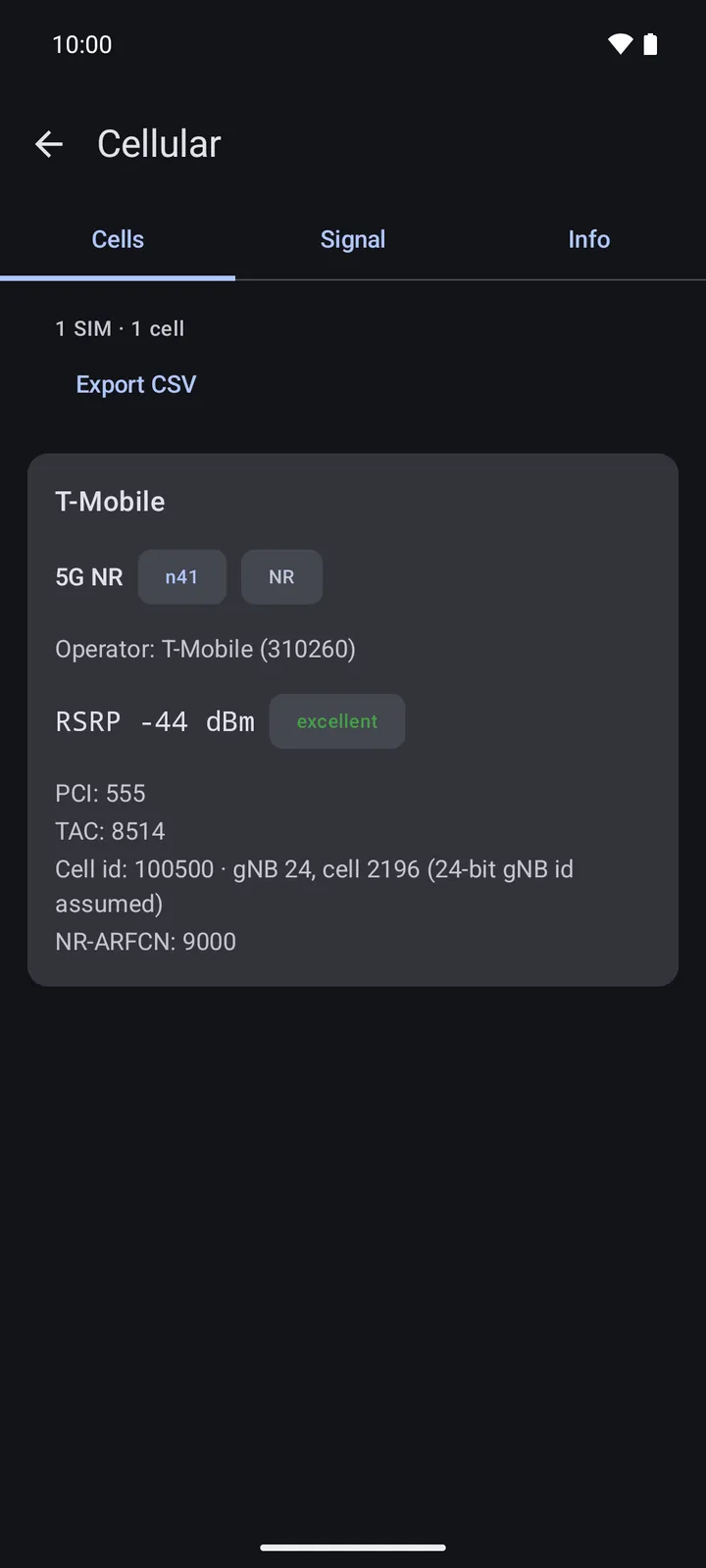
Every SIM's cells, the band worked out from the ARFCN, RSRP over time and the neighbours. CSV out.
Advertisements decoded: iBeacon, Eddystone and AltBeacon, makers and services named from the bundled SIG tables. Never connects.
IPv4 and IPv6 CIDR math, subnet splitting, and the special ranges named.
The IEEE registry, bundled: the maker, the block's size, and what the I/G and U/L bits say. Nothing looked up online.
Screens
Every tool answers in the same shape: a verdict up top, then the evidence, then the raw detail a tap away. Content stays a readable width on a tablet, and the dark theme follows the system.
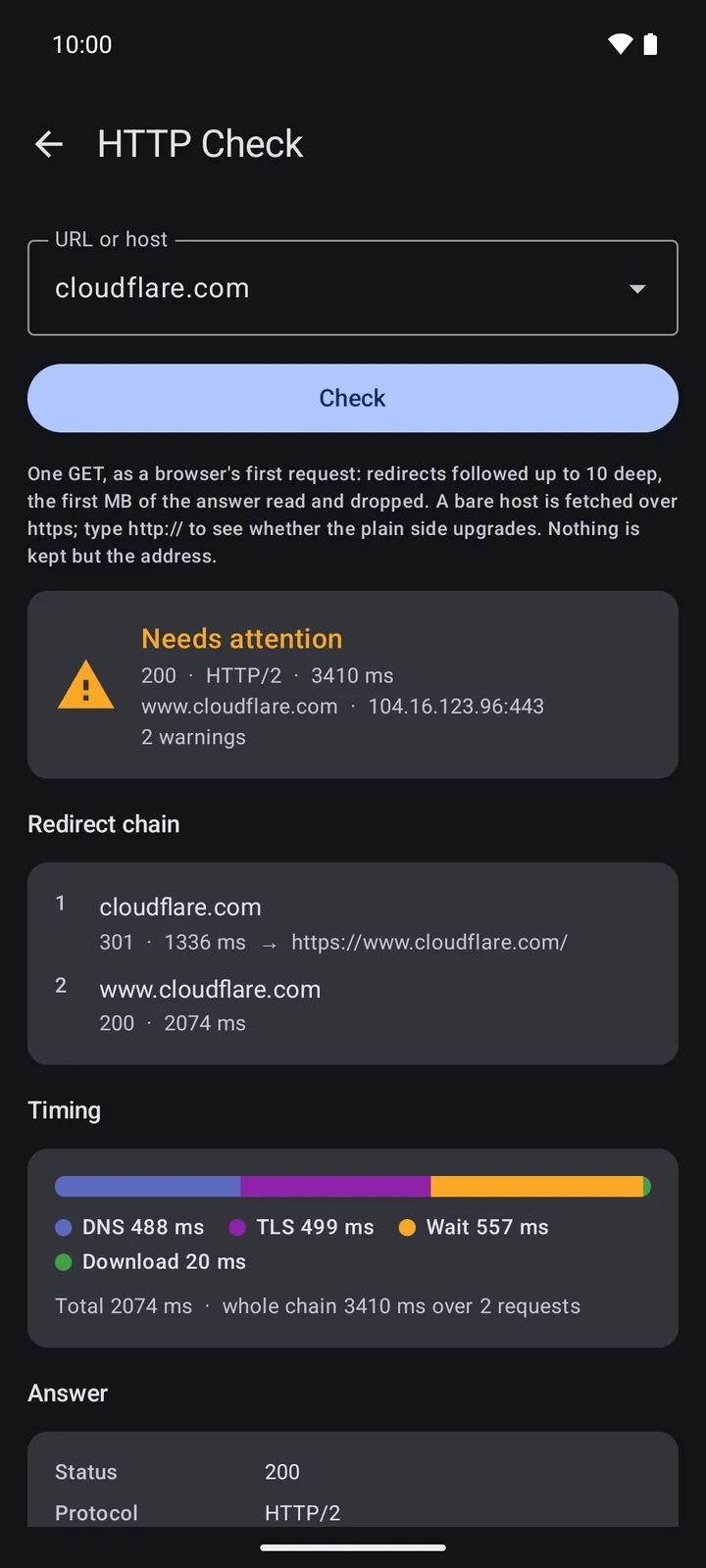
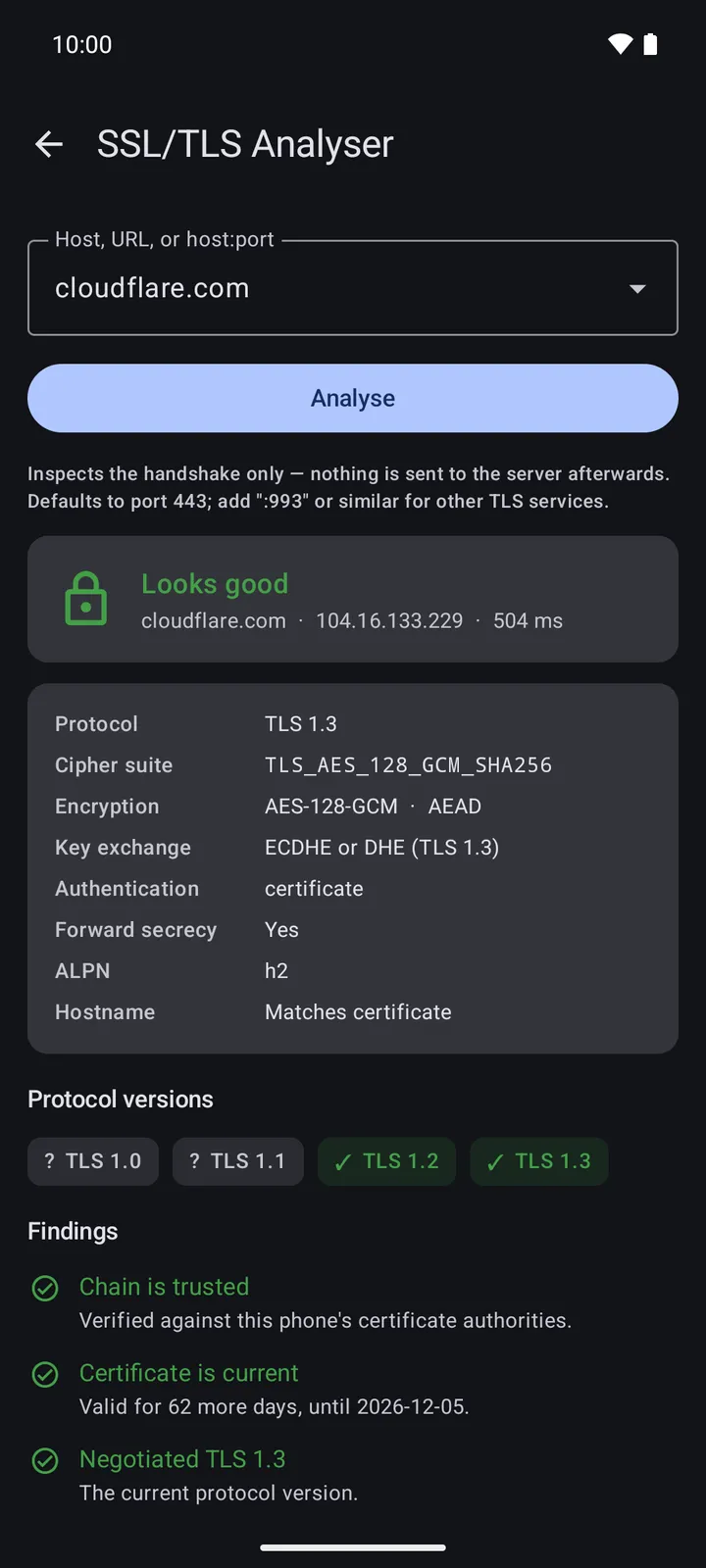
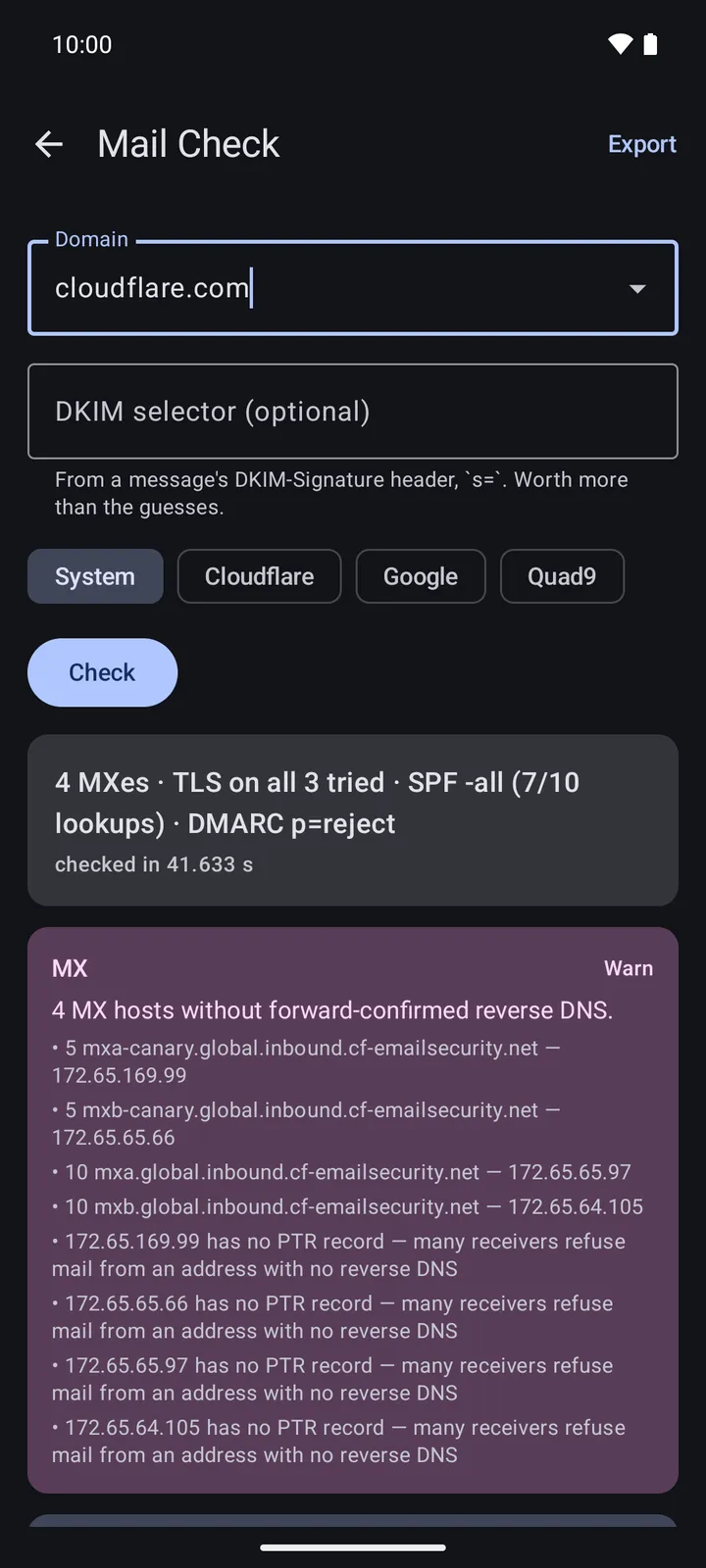
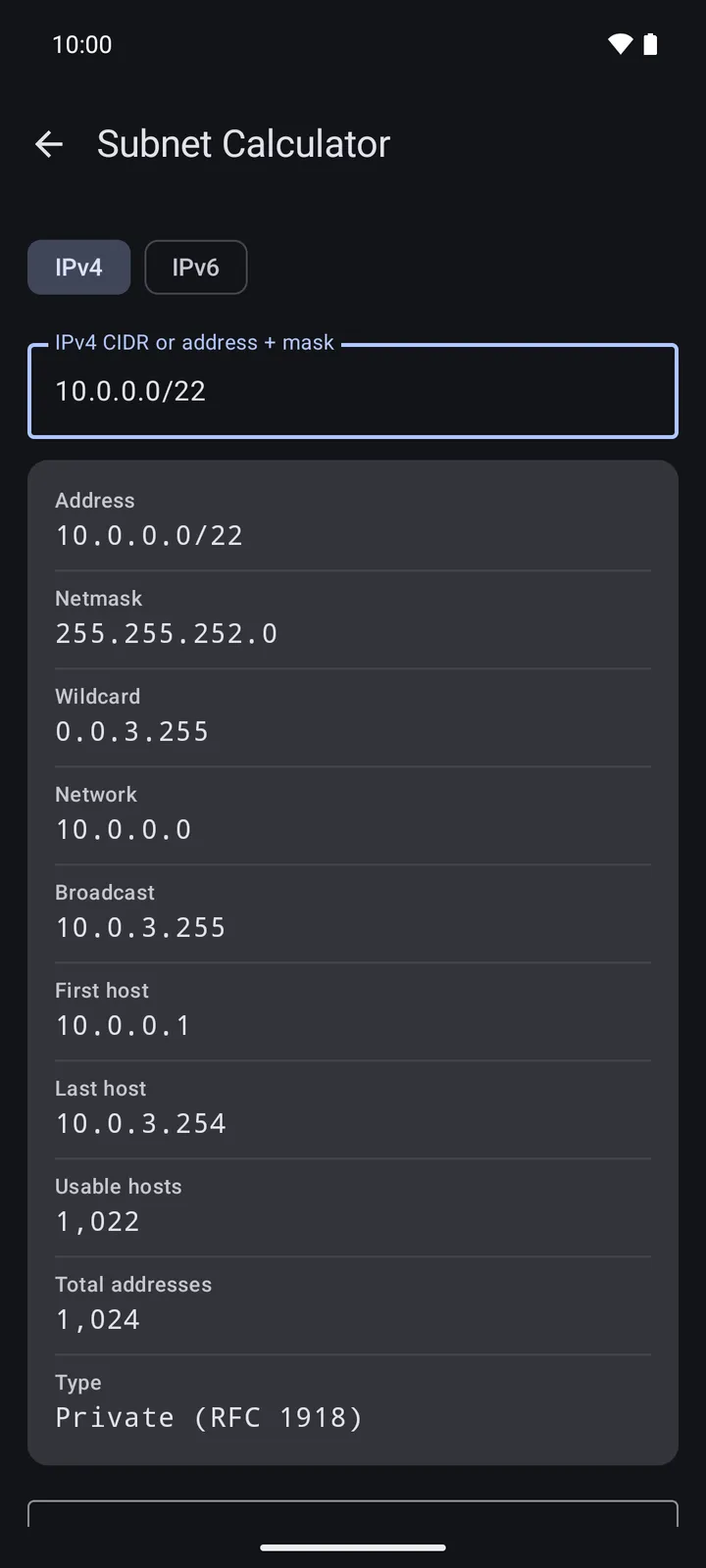
How it behaves
Findings, not grades
The HTTP and mail checks list what they found in order of weight and say why each matters. No letter grade stands in for reading the list.
Silence is not "open"
A UDP port that says nothing is reported as exactly that. A Bluetooth distance is shown only when the beacon states the reference power it was calibrated with.
Tables, bundled
MAC vendors come from the IEEE registry and Bluetooth makers, services and appearances from the SIG's tables, both shipped inside the app. Nothing is asked online to put a name to an address.
Platform honesty
Android lets an app scan WiFi four times in two minutes. The analyzer shows the budget and the countdown instead of pretending a cached result is fresh.
Private by design
There are no ads, no analytics, no crash reporting and no identifiers. A lookup goes directly from your phone to the host or registry you asked about, and the answer stays on the phone. Recent addresses are remembered per tool and forgotten with one tap.
Android needs the location permission before it will hand any app a WiFi or Bluetooth scan. Jant asks for it for that reason alone, in the foreground only, and never reads where you are.
This site keeps the same promise: no scripts, no third-party fonts, no analytics, and it sends the headers the HTTP Check looks for. Read the privacy policy.
In the works
Import a floor plan or start from a grid, walk the space, and watch coverage fill in as a map with the walls accounted for. Place an access point where its readings say it is, then drag it to where it really stands.
Alongside it, a web editor at app.jant.co.za for tracing walls with a mouse and an optional sync account that keeps phone and browser in step. Both are being finished; the heatmap tile is in the app today, locked until it is ready to be offered.
Sync will stay optional, and everything it holds can be exported or deleted from the app.